

 Türkiye (Türkçe)
 Worldwide (English)






📢 Önemli Bilgilendirme
Değerli ziyaretçilerimiz, 09.01.2026 Tarihi itibari ile alan adı,hosting ve sunucu satışlarımız aktif olacaktır. Bizleri tercih ettiğiniz için teşekkür ederiz.
İncele
To remove an email account, perform the following steps:
1. Log in to your SiteWorx account.
2. In the Email section, click on Mailboxes.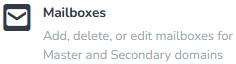
3. Select the email address you want to remove and choose Delete from the drop-down menu.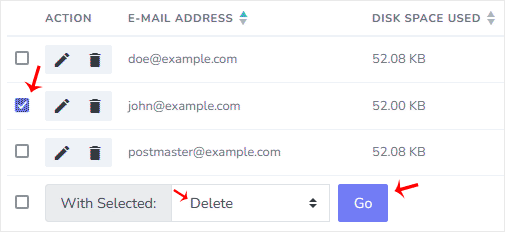
4. Click on Go and confirm with Delete.
You should see a success message that your email address has been removed.
Bilgi bankasını detaylı olarak incelediniz, fakat ihtiyacınız olan bilgiyi bulamıyorsanız,
Bir Destek Talebi Oluşturun.